


Dongguan Kaidi Electronic Technology Co., Ltd. is an innovative enterprise dedicated to the agency and sales of liquid crystal displays, supply chain financial management within the LCD sector, and the production and sales of televisions and monitors. Established in 2007, our core partnership factory has grown through years of development and technological advancement, becoming a frontrunner in the manufacture of televisions and monitors. With a youthful and vibrant team, the company has swiftly established a competitive edge in supply chain management, supported by a robust LED/LCD screen supply chain and factory resources. Internationally, Guangzhou Magic is actively expanding its B2B segment, providing high-quality OEM services and delivering comprehensive product support to global customers. Concurrently, the company is venturing into the B2C retail market, aiming to build a global sales network to offer customers a wider variety of choices and more efficient services.
Rich Product Variety
Our main products include LED LCD TV, SKD CKD TV, interactive whiteboard, TV open cell, portable monitor and other electronic equipment.
Competitive Price
We have a professional purchasing team and costing team, trying to reduce costs and profits, and provide you with a good price.
Complete Qualifications
Our products meet and exceed 20 international standards. We cooperate with international certification agencies such as CCC, CE, ROHS, UL, FCC, SAA, BV, etc. to ensure product quality.
Global Shipping
We cooperate with professional sea shipping, air and logistics companies to provide you with the best transportation solution.
Rich Experience
Our core cooperative factory was established in 2007. After years of development and technological progress, our company has rich production and manufacturing experience and has become a leader in the field of TV and display manufacturing.
Leading Service
We have many years of industry experience and a complete production management, quality supervision, sales service operation system. Whether you want to buy interactive whiteboard or portable monitor, just send your requirements by email and we can customize the product for you.

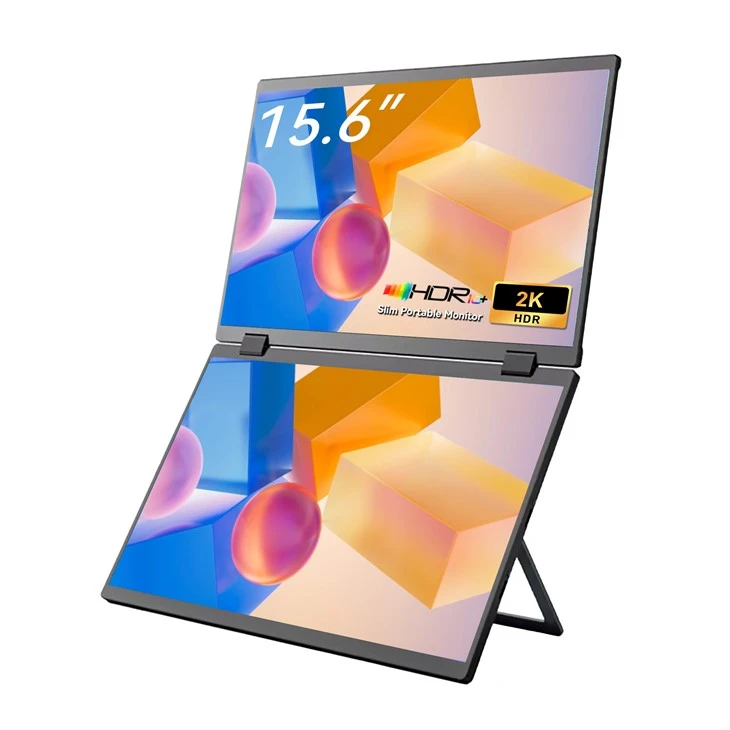
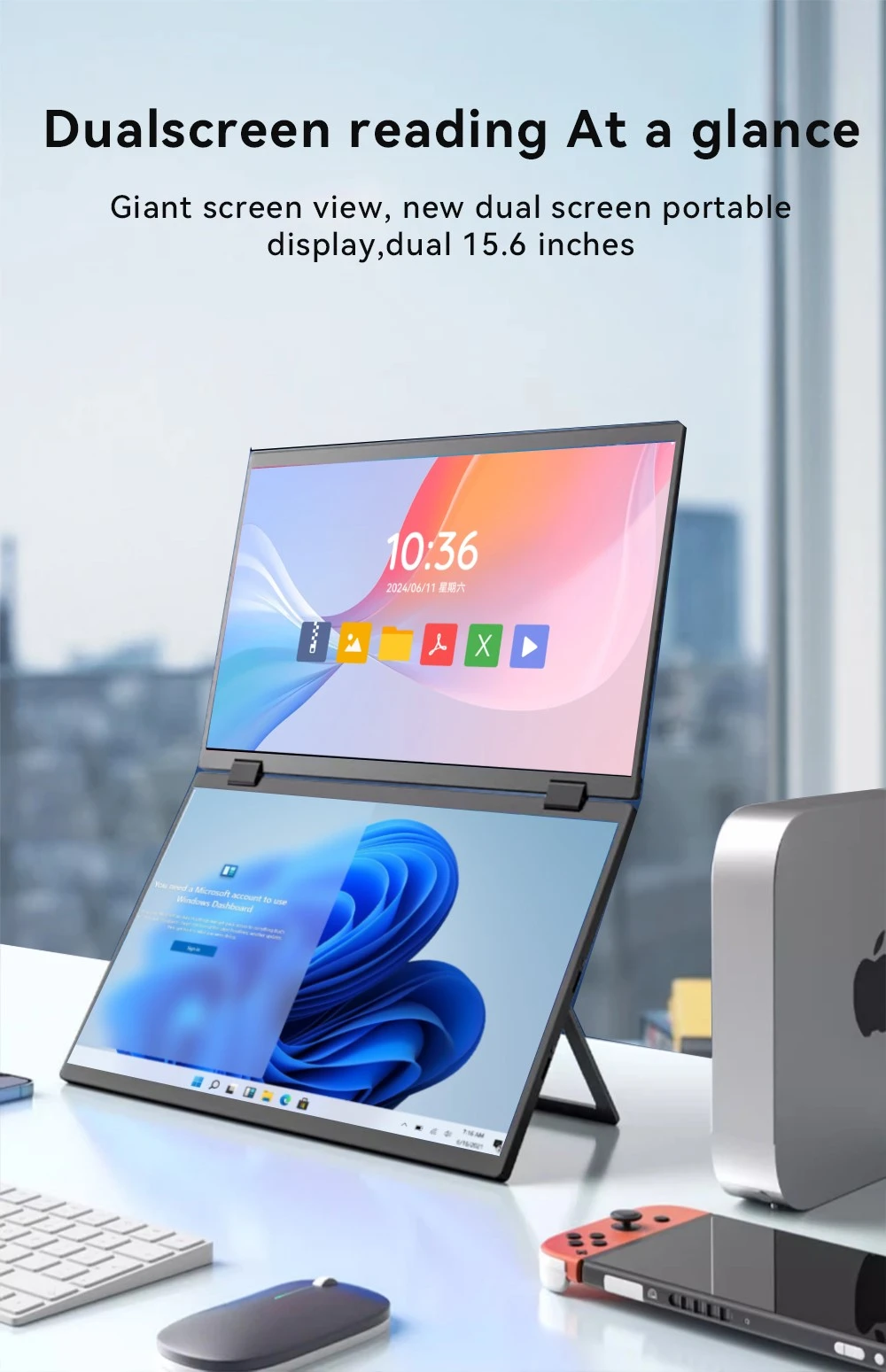
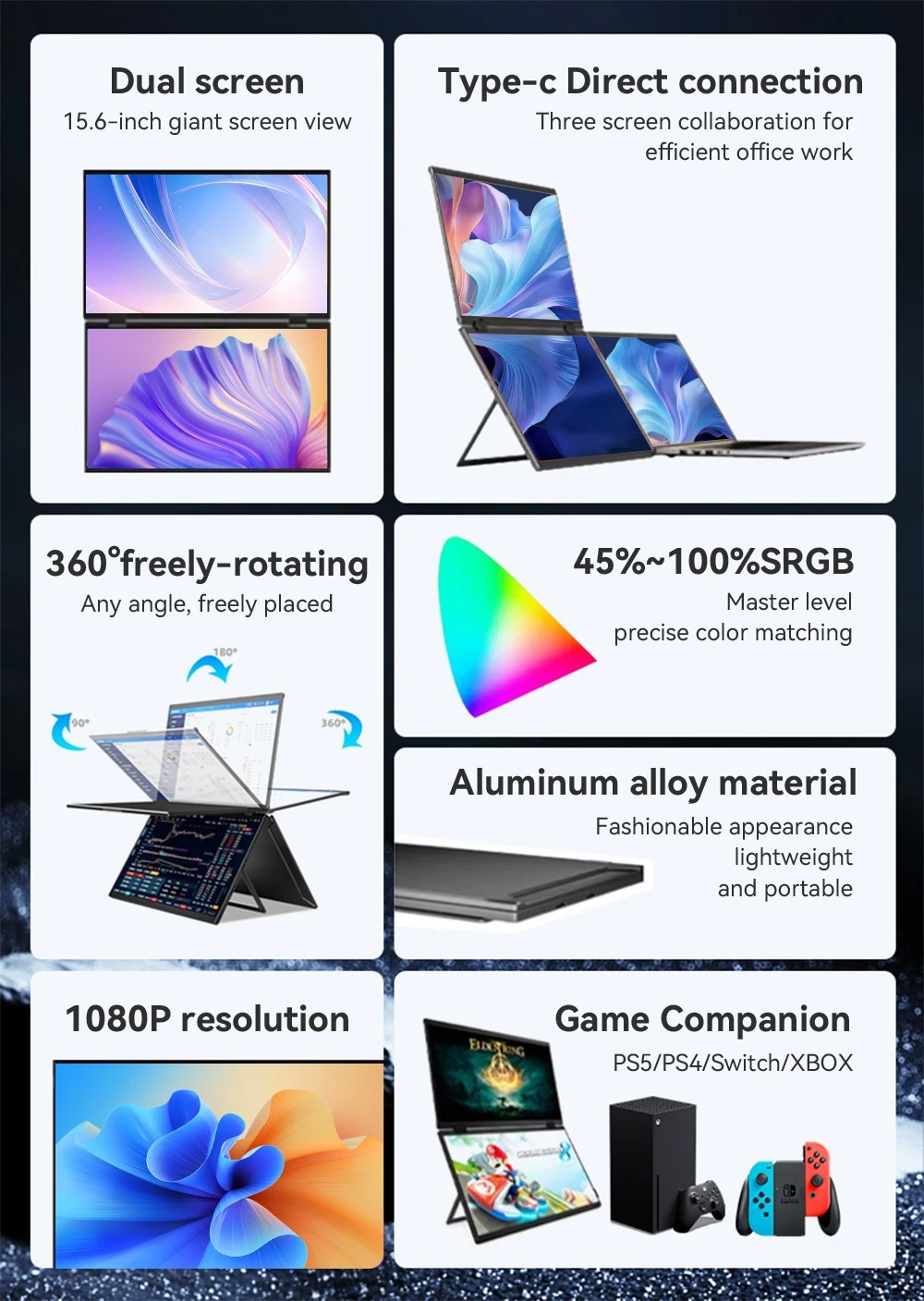
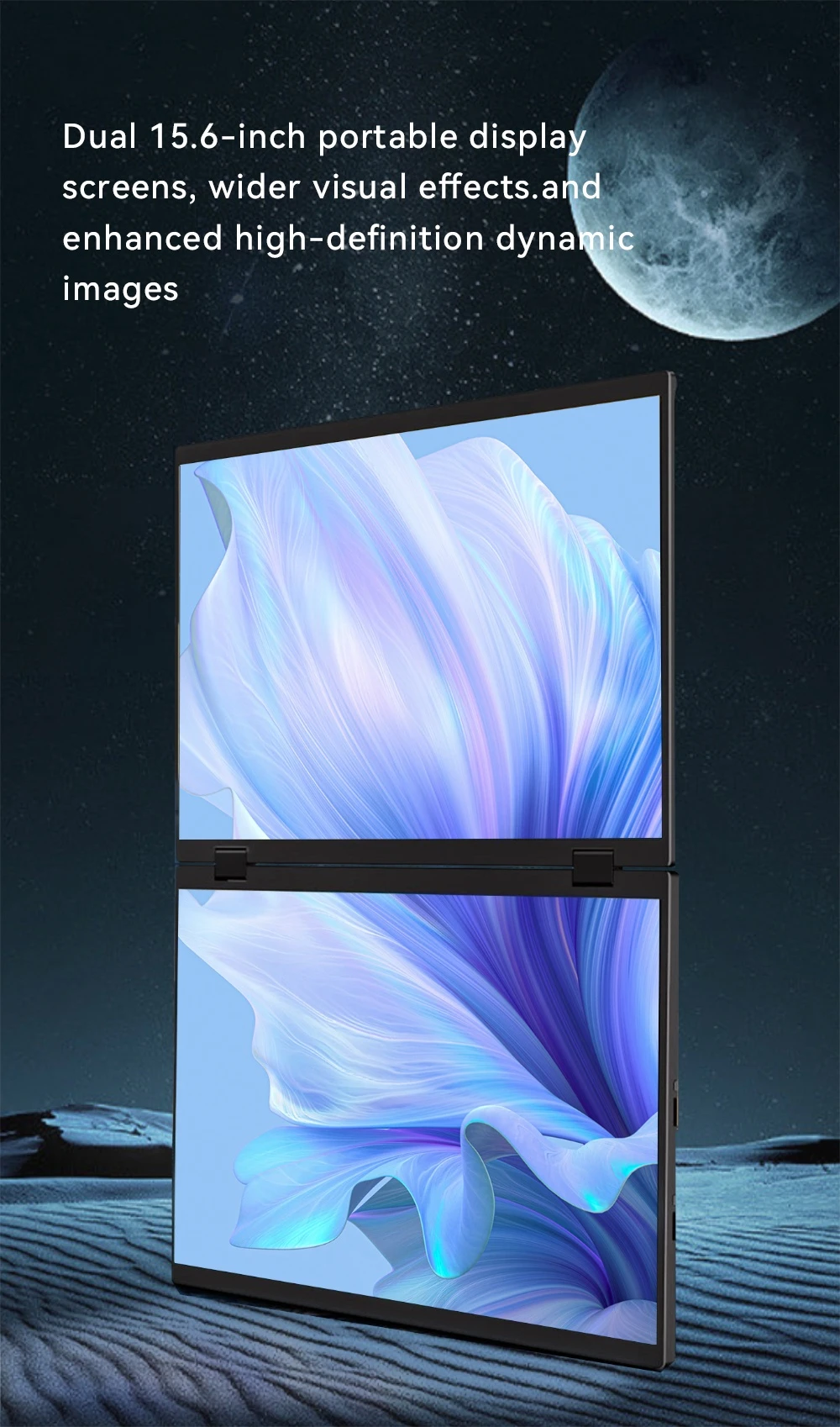
15.6 Inch Dual Screen Extended Monitor
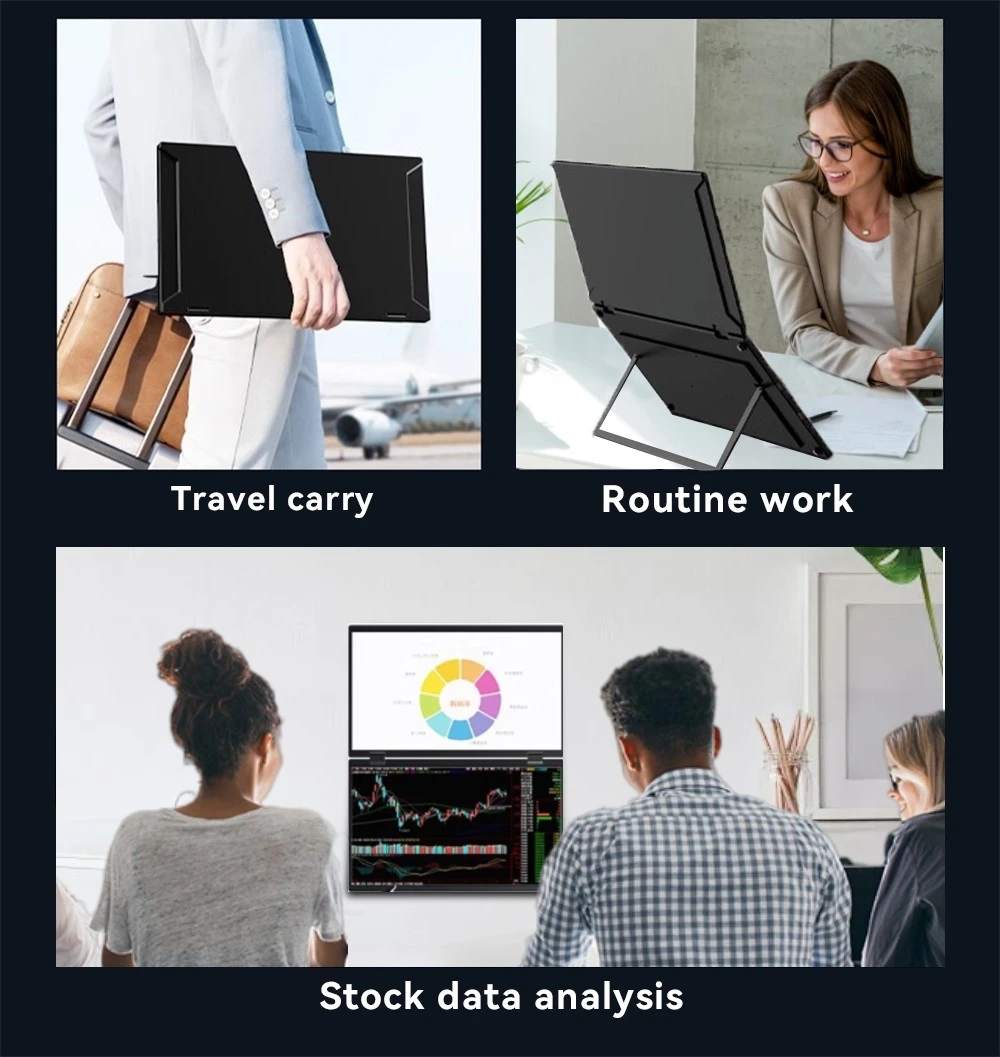
Dual Screen Extended Monitor lets you easily switch between applications, compare documents, and streamline your workflow. Using dual monitors can improve your productivity and multitasking capabilities. Whether you're a professional looking for a more efficient work setup or a gamer looking to immerse yourself in an expansive gaming experience, our selection of dual monitors delivers crisp visuals, seamless connectivity, and customizable features to meet your specific needs.

HDR Portable Gaming Monitor 16 InchHDR (High Dynamic Range) Monitors provides higher contrast and more vibrant colors, enhancing the viewing experience for content that supports HDR. High-dynamic range (HDR) is a specification that determines whether a display can render an image that has deeper contrast, a wider color gamut, and generally better representation of brightness than that of a standard-dynamic range (SDR) display. This means that with content that supports HDR and a correctly calibrated display, you will often be able to spot more details in both brighter and darker scenes while also enjoying an image that can look slightly more saturated or color-accurate, depending on the implementation.

13.3 Inches 4K Sleek Ultra-Portable Display
4K Sleek Ultra-Portable Display with In-Plane Switching (IPS) technology delivers sharper, more accurate images and wide viewing angles on a 16:9 screen. Its lightweight and slim form factor fits easily into most travel bags. The monitor features High Dynamic Range (HDR) technology to enhance image quality, significantly expand contrast and color range, and create an exceptional viewing experience.

55 Inch Smart 4K Netflix Android TV
Resolution: HD 1920 x 1080/FHD 2K/UHD 4K (Optional)
Screen size: 50/55/65 Inch (Optional)
Aspect ratio: 16:9
Description: 2K FHD LED TV, UHD LED TV
Slim bezel design, High definition images, color enhancement sharpness strengthen, 2xHDMI and 2xUSB Ports, AV and PC mode.

Direct High Quality 43 Inch TV
Resolution: HD 1920 x 1080/FHD 2K/UHD 4K (Optional)
Screen size: 32/43 Inch (Optional)
Aspect ratio: 16:9

Outlet High Quality 32 Inch TV
Resolution: HD 1920 x 1080 (Optional)
Screen size: 32 Inch (Optional)
Aspect ratio: 16:9

Wholesale OEM 50 55 Inch Smart TV
Resolution: HD 1920 x 1080/FHD 2K/UHD 4K (Optional)
Screen size: 50/55 Inch (Optional)
Aspect ratio: 16:9

49 Inch Smart 4K OEM Android TV
Resolution: HD 1920 x 1080/FHD 2K/UHD 4K (Optional)
Screen size: 49/50/55 Inch (Optional)
Aspect ratio: 16:9

Wholesale High Quality 43 Inch TV
Resolution: HD 1920 x 1080/FHD 2K/UHD 4K (Optional)
Screen size: 18.5 21.5 23.6 27.5 38.5 39.5 41.6 32 43 Inch (Optional)
Aspect ratio: 16:9
What Is an IPS Monitor
IPS Monitor, short for "In-Plane Switching," uses liquid crystals arranged between two glass surfaces to produce rich colors. Additionally, the liquid crystals' ability to shift horizontally allows for impressive viewing angles without color shifting. Because of this, IPS displays are ideal for those seeking color accuracy and consistency, as well as ultra-wide viewing angles.
Benefits of IPS Monitor
Enhanced Contrast
IPS displays virtually eliminate the color/contrast shift seen on some VA displays. Colors on IPS displays don't fade or distort when viewed at an angle like TN or VA LCD screens do
Widest Viewing Angles
IPS displays offer ultra-wide 178-degree vertical and horizontal viewing angles. TN LCDs typically have trouble displaying accurate images from wide viewing angles. IPS LCDs eliminate nearly all color distortion and fading when viewed from all angles.
Visibility in Direct Sunlight
Powerful LED backlighting combined with unmatched viewing angles delivers the best image quality in direct sunlight. IPS displays offer higher quality images in sunny conditions than TN LCD or OLED displays.
Visibility in Direct Sunlight
Powerful LED backlighting combined with unmatched viewing angles delivers the best image quality in direct sunlight. IPS displays offer higher quality images in sunny conditions than TN LCD or OLED displays.
Applications of IPS Monitor
IPS monitors have found their place in a variety of industries, from graphic design to gaming. They are particularly beneficial in fields that require accurate and consistent color reproduction.
Photography and Video Production
Photographers and video editors often rely on IPS monitors to ensure that the colors in their work appear accurately.
Graphic Design
The color accuracy and wide viewing angles of IPS monitors make them ideal for graphic design work.
Gaming
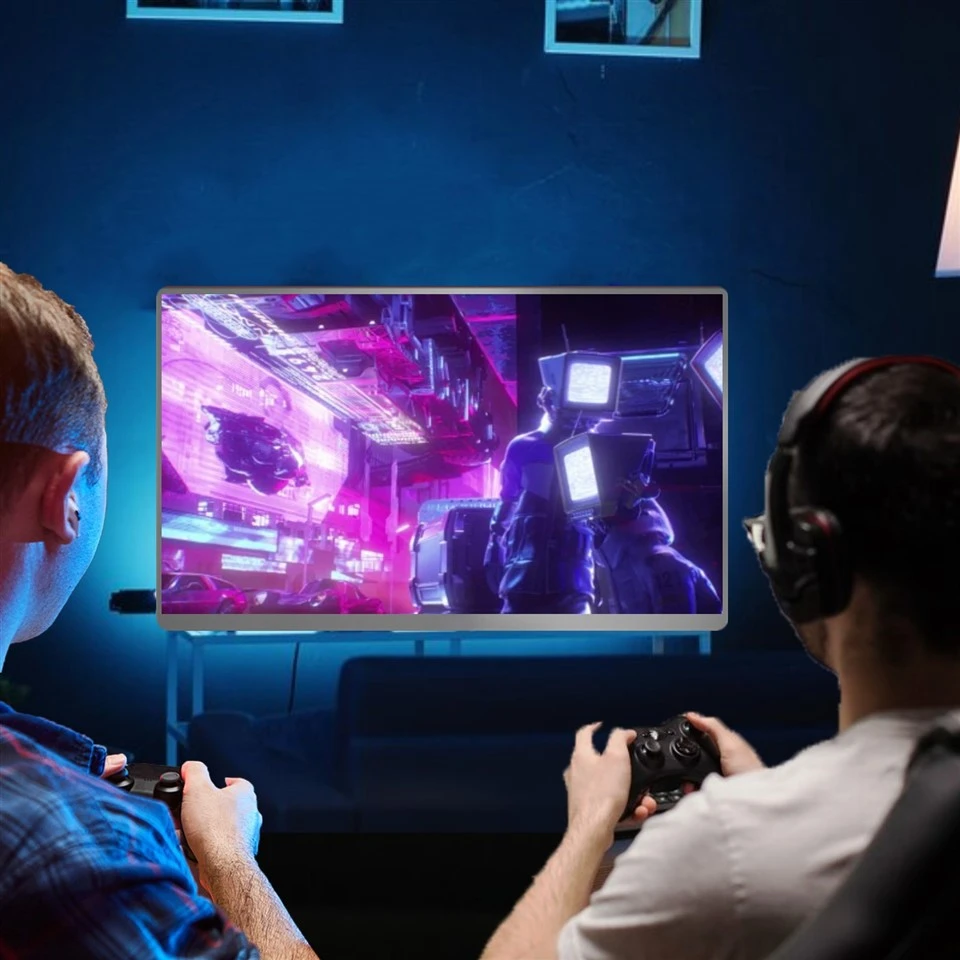
Despite having a slower response time than TN panels, the superior color reproduction and viewing angles of IPS monitors make them a popular choice for gamers.
Medical
Similarly, in the medical field, these monitors are used in diagnostic imaging systems to provide doctors with clear and precise images.
Security Surveillance Systems
The wide viewing angles of IPS monitors ensure consistent image quality, even in multi-monitor setups.
Financial Trading
Traders often use multiple monitors, and IPS technology enables accurate color reproduction across all screens.
Maintenance of IPS Monitor
IPS monitor work in a certain environment for a long time and are affected by various environmental factors, including humidity, temperature, cleanliness, electromagnetic interference, power supply, etc. Therefore, in order to stabilize the performance of the monitor, it is necessary to understand and master the general maintenance knowledge and maintenance methods of the monitor.


Humidity Factor
The humidity is generally kept between 30% and 80%, and the IPS monitor can work normally. However, if the indoor humidity is higher than 80%, condensation will occur inside the monitor, and its high-voltage components are prone to discharge. In severe cases, the monitor will be damaged, and the components inside the machine will be prone to rust and corrode. In severe cases, the circuit board will be short-circuited. When the indoor humidity is lower than 30%, static interference will be generated inside the IPS display, and the possibility of components being damaged by static electricity will be greatly increased, thus affecting the normal operation of the monitor. Therefore, the display must be moisture-proof. If the monitor is not used for a long time, it is best to power it on regularly for a period of time to use the heat generated by the monitor to evaporate the moisture in the machine.
Temperature Factor
The components inside the IPS monitor will generate a lot of heat when working. When the ambient temperature is too high, its performance and service life will be greatly reduced, making the monitor unstable and the components will also accelerate aging. Therefore, there should be enough space around the monitor, and it is best to place it in a ventilated place to facilitate heat dissipation. In summer, it is best to place the monitor in an air-conditioned room, or use an electric fan to help dissipate heat.
Dust Factor
The high voltage in the IPS monitor is as high as 10kV~20kV. Such a high voltage can easily attract dust particles in the air. The dust adsorbed on the printed circuit board will affect the heat dissipation of electronic components, and may also cause leakage and burn out components. Therefore, the working environment should be kept clean.
Magnetic Field Factor
The electromagnetic interference sources include AC power, unshielded speakers, and electromagnetic fields generated by the operation of household appliances with high power consumption such as fluorescent lamps, televisions, refrigerators, and electric fans. Long-term exposure to the magnetic field may magnetize or damage the monitor, so the monitor should be placed away from the electromagnetic field.
Power Factor
Although the operating voltage of the monitor has a wide range of applications, instantaneous high-voltage shocks may also cause damage to components. If the operating voltage is unstable, the image on the display screen will be abnormal. At this time, the power should be turned off immediately and the power should be turned on again after the voltage stabilizes. Therefore, a socket with a fuse should generally be used. If conditions permit, it is best to use a UPS (uninterruptible power supply).
With countless options on the market, choosing the right IPS monitor can be a daunting task. However, there are a few key factors that can guide your decision-making process. Choosing the right IPS monitor can significantly enhance your computing experience.
Screen Size
Screen size affects the pixel density of images and videos. Larger screens generally have less pixel density if the resolution is lower. Larger monitors offer more workspace, which is great for multitasking, but they also take up more desk space. So before making a decision, consider the size of your workspace and how you plan to use your monitor. Choose a screen size based on what you're going to use your monitor for.
Resolution
High resolutions produce sharper, more visually appealing image quality than lower resolutions. Resolution refers to the number of pixels contained within a display, using a width x height format. For office workers, 1920×1080 or 1080p is the minimum requirement, but if you prefer, you can opt for a 4k resolution for even sharper image quality.
Color Contrast
If excellent color contrast is an important priority for your technology needs, an IPS LCD monitor is the right choice. IPS offers better color contrast than VA and TN panels combined. This panel type also offers excellent color accuracy, screen consistency, and overall clarity.
Color Accuracy
Furthermore, the color accuracy of a monitor is crucial, especially for graphic design and photography professionals. IPS monitors are known for their excellent color accuracy and wide viewing angles compared to other types of monitors. But not all IPS monitors are created equal. Some models offer better color accuracy than others, so it's worth checking the specs.
Connectivity Options
Finally, don't overlook the connectivity options of your monitor. Make sure it has the necessary ports for your devices, such as HDMI, DisplayPort, and USB. A monitor with a variety of connectivity options will serve you well for a long time.
Price
Another important factor to consider is the price/performance ratio. While IPS monitors generally offer superior image quality and wider viewing angles, they also cost more than TN (twisted nematic) and VA (vertical alignment) monitors. Therefore, it's crucial to evaluate whether the added cost offers tangible benefits for your specific needs. Also, consider the brand's reputation and the monitor's durability. Remember that a high-quality IPS monitor is an investment that will serve you well for years to come.
Certificate


Frequently Asked Questions
Hot Tags: High Quality 15.6 Inch Dual IPS Monitor, China High Quality 15.6 Inch Dual IPS Monitor manufacturers, suppliers, factory, on the go high resolution monitor, portable video monitor, mobile adjustable monitor, slim viewing monitor, travel computer monitor, compact work monitor